Guide for Reviewing Submissions
Call for Papers Submission Review Process
After potential authors have submitted their responses to a call for papers the conference organizers will use the call for papers submissions review system to accept submissions for presentation at the conference.
Accessing the system
To access the system, you will need to be logged into your MyNBER account. (This keeps submissions and organizers’ comments confidential.)
Three days prior to the call for papers deadline you will receive an email from the NBER conference staff with a link to access the submission page for your conference.
Submissions to multiple workshops
The authors of a submission may submit it to more than one workshop or meeting, typically for NBER's Summer Institute. In this case, the other workshop(s) to which it was submitted are shown below the listing of each submission. If the organizers of another workshop, preliminarily accept the paper, this will be indicated by text and color.
Reading submissions
The web page displays a listing of submissions received, including the authors, title, and abstract, (if any). If a document was uploaded along with the submission, or the authors specified a remote URL where you can read the submission, the title will be a link to the document.
You can also download all the submissions as a single zip file. Submissions where the author provided only a link to the document on their web site will be included only as a short text note with the URL.
Comments Section
Below each submission is a box where conference organizers can enter their comments about the submission. To add a comment, type in the box, then click:

The comment, along with a time stamp and the person that added it will appear. The comments of each conference organizer appear in a different color.
Selecting Submissions
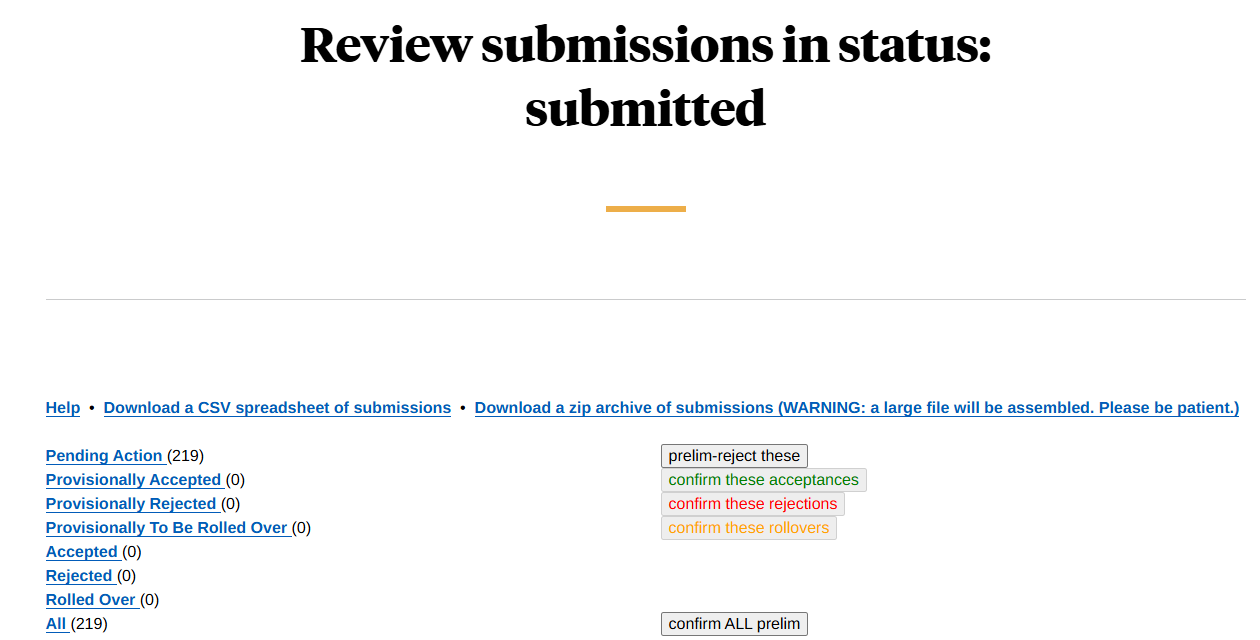
Once a decision has been made about a submission you can approve or reject it by clicking one of the buttons by the paper title:

Once you select one of these options the submission will be removed from the list of submissions pending action. The status of the submission will also change to provisionally accepted or provisionally rejected.
Once a submission is in a provisional category it can still be un-approved or un-rejected, or it can be approved.
If you would like to confirm your decisions, use the confirm buttons, which are available on a per-submission basis on the preliminary pages. You can also confirm all the submissions in a category at once by using the button at the top of the page.
Notifying the Authors
The system does not automatically notify authors that their submission has been accepted or rejected.
To notify all authors at once, if their papers were rejected or accepted, select the link:
See options to email authors
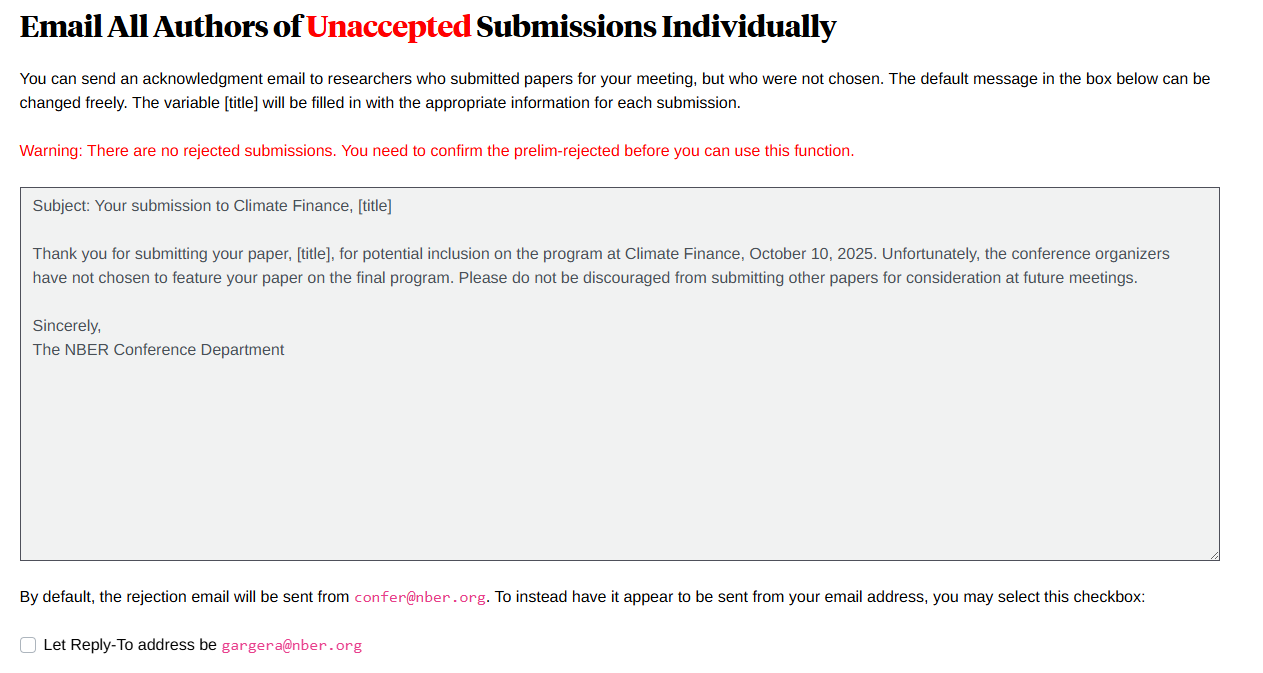
This page includes an option to send an email to all the authors of accepted papers, at once, and all the others of the unaccepted papers, at once. You can either customize an email or use the template on this page. The template will import the paper name on the subject line, and reference the title in the body of the email:
For unaccepted submissions:
For accepted submissions:
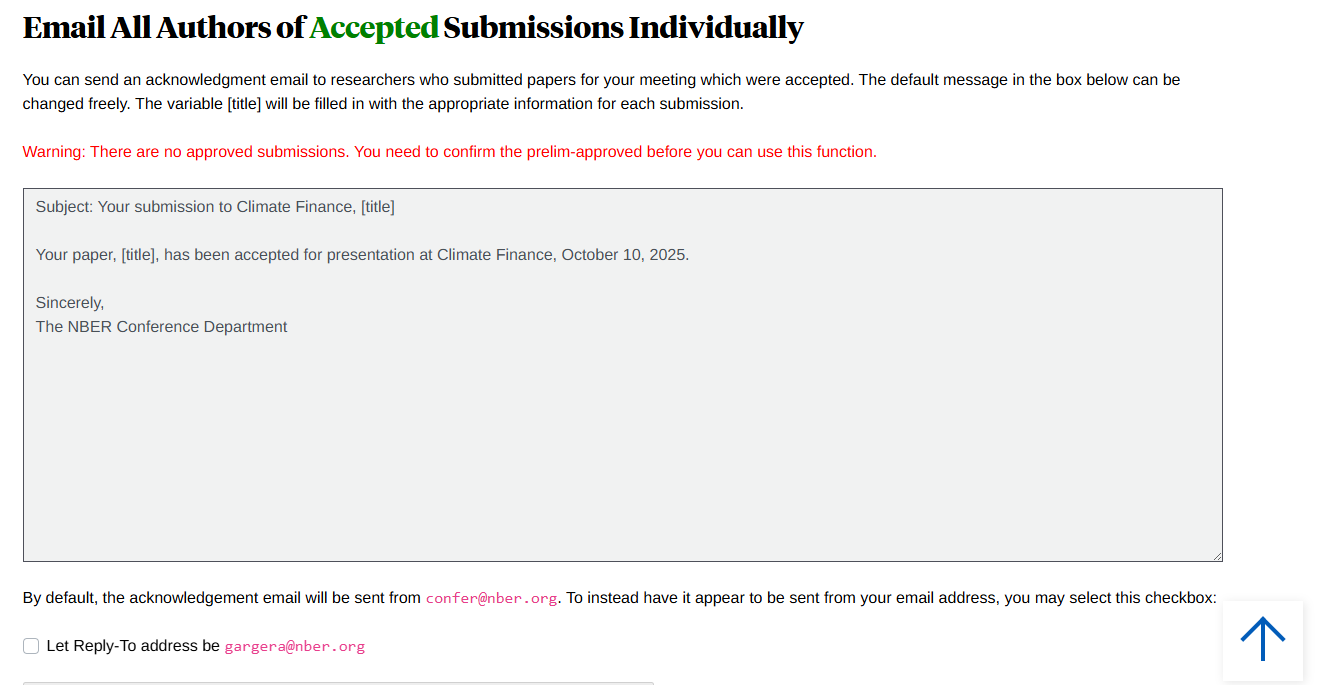
If you would like the email to come from you just check the box at the bottom. Otherwise the email will come from the conference department email address: confer@nber.org.
Program
Once you have confirmed your accepted papers you can arrange the papers in the program by selecting the link:
Arrange papers into program order
Please add the start time for each paper in the time slot. If it’s a multi-day meeting, select the day also. Use the format 9:30 am and 4:00 pm. This information will appear directly in the meeting program.
Once the papers are arranged, you can email the Conference Department with any additional information for the program. Additional information may include:
*Times for welcoming remarks, breaks, lunch, and dinner
*Discussants, if applicable
*Panels, keynote addresses, or section headings, if applicable
*Time allocations for the author, discussant, and questions and answers
Once the program is completed a draft will be sent to you for review and approval.
If you have any questions or have trouble logging in, please contact the NBER Conference Department (confer@nber.org)